# How to Create Signature in Outlook on the Web
## How to Create Signature in Outlook on the Web
1. **Sign in to [office.com](https://www.office.com/).** You might be asked to sign in. Use your Microsoft username and password.
2. **Then open the Outlook tab**.
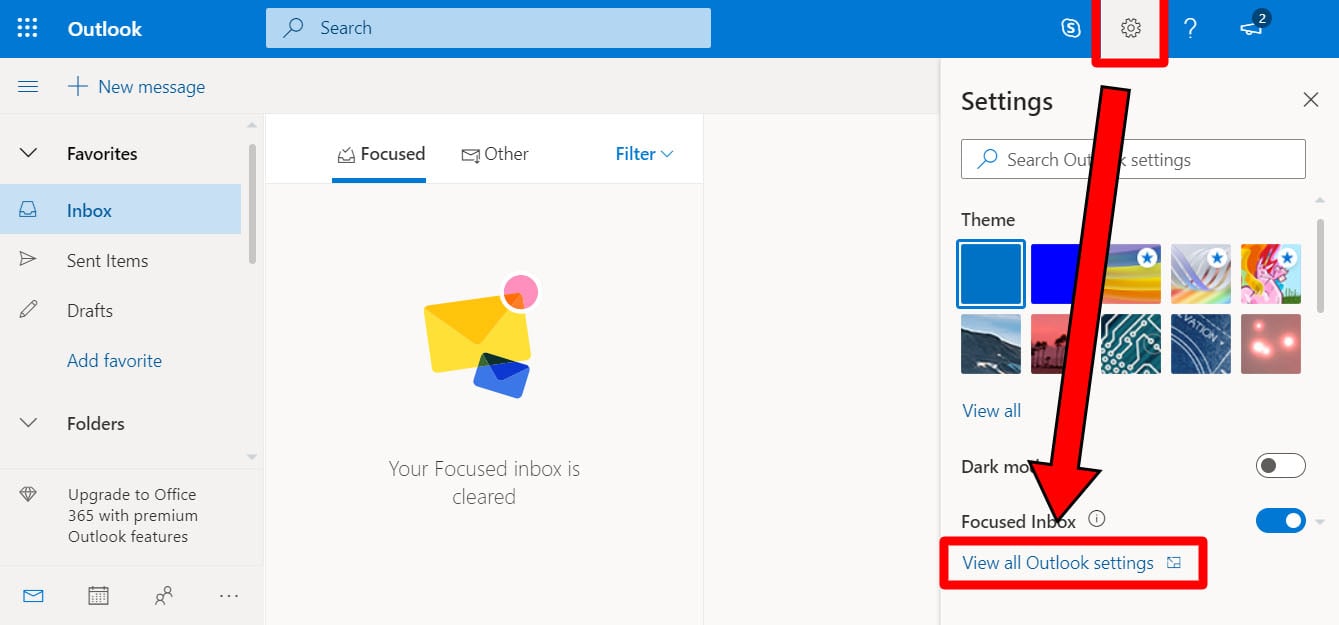
3. **Click on the gear icon in the top-right corner of the window**.
4. **Then click on View All Outlook Settings**. You will see this in the bottom-right corner of your window.
5. **Select Compose and Reply**. You will find this in the left-side column. Note: Mobile signatures are text-only and do not give you the option to format text nor insert hyperlinks or images.
6. **Then type in your signature in the Compose and Reply window**. Format your signature with the standard editing tools provided for in the box.
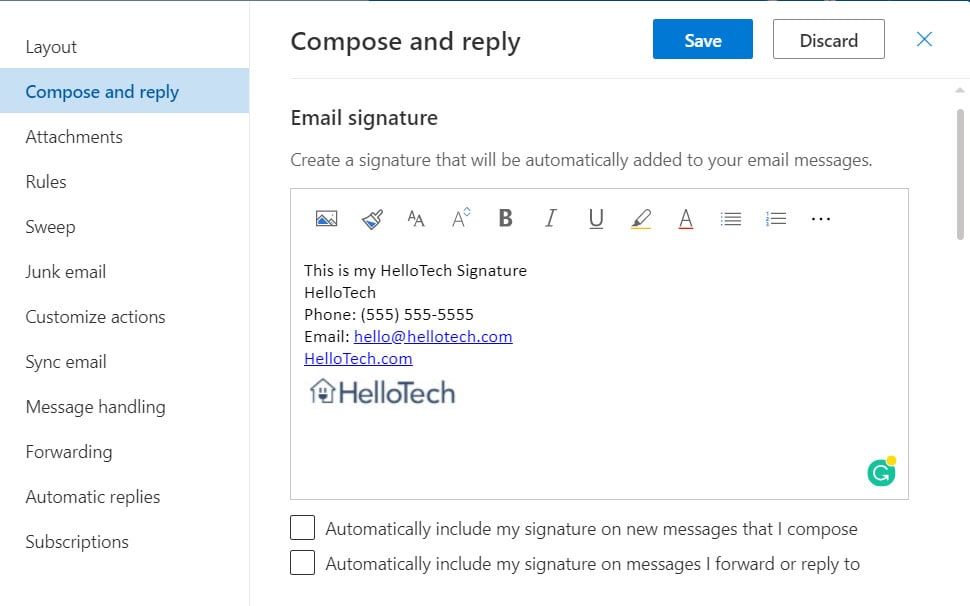
7. **Once done, click on Save**.
To see your signature, click on New Message. Outlook will automatically add your signature at the bottom of the message. If you want to add your signature manually, click on the ellipsis icon at the top of the pane for composing a message, then click on Insert Signature.