# How to Open Win+X Quick Link Menu in Windows 10
**How to Open Win+X Quick Link Menu in Windows 10**
The Win+X Quick Link menu is a pop-up menu from the Start button that includes shortcuts of common management, configuration, and other power user Windows tools.
Starting with [**Windows 10 build 15014**](https://www.tenforums.com/windows-10-news/75312-announcing-windows-10-insider-preview-build-15014-pc-mobile.html), the Win+X flyout has been updated to say “Apps and Features” instead of “Programs and Features”.
This tutorial will show different ways on how to open the **Win+X Quick Link menu** in **Windows 10**.
**EXAMPLE: Win+X Quick Link menu**

**Here's How:**
1 Do **step 2**, **step 3**, or **step 4** below for how you would like to open the Win+X Quick Link menu.
2 Press the Win + X keys and release.
Using this option will allow you to see the available underlined (letter) keyboard shortcuts to press for each menu item to open with.
3 Right click on the **Start** button on the taskbar.
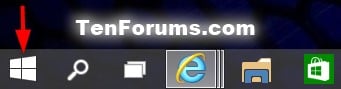
4 On a **touchscreen**, press and hold the **Start** button on the taskbar until you see the faded white rectangle appear on it, then release.

That's it,